Welcome

White-label
A branded rewards site we host, with your single sign-on.

Full API
Build your own experience on our API.

Gift cards & payments
Digital gift cards, paid from your float or a hosted checkout.

Cashback & affiliates
Tracked affiliate links, with commission reported back.
REST API for integrating Spendstream’s gift card, cashback, and affiliate rewards platform.
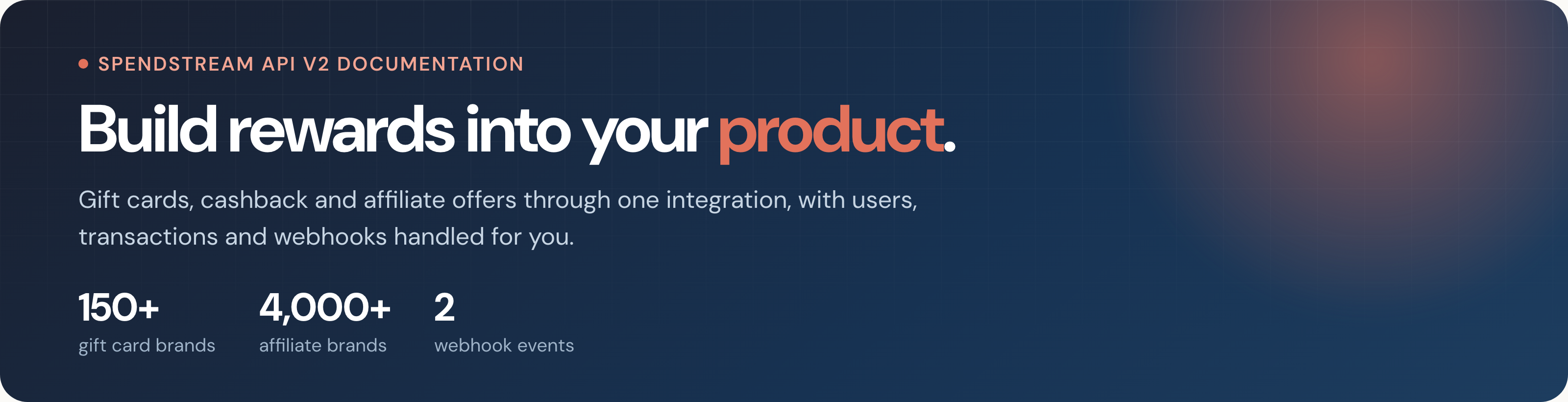
Build gift cards, cashback and affiliate rewards directly into your product.
The Spendstream API V2 gives publishers a single integration for managing gift card distribution, affiliate offers, cashback rewards and transaction reporting.
Use the API to:
- Onboard and manage your users
- Surface offers from more than 4,000 affiliate brands
- Issue digital gift cards from over 150 major brands
- Track purchases and cashback activity
- Receive real-time transaction updates
- Reconcile the commission generated through your platform
Spendstream provides the underlying rewards infrastructure, including brand inventory, supplier relationships and payment capabilities, allowing you to focus on building the customer experience.
Two ways to integrate
Choose how much of the user experience you want to build and manage.
White-Label
Launch a fully branded rewards platform without building the front end yourself.
Spendstream hosts and manages the platform while applying your branding, content and product configuration. Optional single sign-on allows users to move from your platform into the rewards experience without needing to log in again.
The white-label option is best suited to businesses that want to launch quickly with minimal engineering work.
You provide:
- Your brand assets and configuration
- Your users or user authentication
- Your preferred products and reward structure
Spendstream manages the storefront, brand catalogue, transactions and supporting infrastructure.
Full API
Build the entire rewards experience inside your own website or application.
Your platform controls the interface and customer journey while communicating directly with Spendstream through the API.
The Full API option gives you maximum flexibility over:
- User experience and interface design
- Reward calculations and messaging
- Product presentation
- Customer communications
- Internal reporting and workflows
Spendstream continues to manage the underlying brand inventory, supplier relationships, gift card fulfilment and affiliate connectivity.
Choose your products
Your Spendstream account can be configured for Gift Cards, Affiliates or Both.
Gift cards
Allow users to purchase digital gift cards from more than 150 major brands.
Gift card orders can be funded through:
- A prepaid publisher balance
- A Spendstream-hosted payment page
Gift cards are issued digitally and can be presented to users through your own interface or the Spendstream white-label platform.
Affiliates
Give users access to tracked offers from more than 4,000 online brands.
Users follow a tracked link to the retailer and complete their purchase directly with the brand. Spendstream then receives transaction and commission information from the relevant affiliate network.
Your integration can use this information to provide cashback, loyalty points, account credit, competition entries or another reward determined by your business.
Gift Cards and Affiliates
Combine both products to give users access to instant gift card savings and tracked online offers through one integrated experience.
API responses are adapted to your account configuration so that you only receive the products and fields relevant to your integration.
Getting started
A typical Full API integration follows these steps:
- Choose your integration model and products.
- Receive your staging API credentials.
- Exchange your API credentials for a bearer token.
- Create or synchronise your users.
- Retrieve the relevant brands, offers and categories.
- Implement your gift card or affiliate customer journeys.
- Configure webhooks for real-time updates.
- Complete staging testing before moving to production.
Staging Environment
Use the staging environment while developing and testing your integration.
https://staging-api.spendstream.io/v2
For example:
https://staging-api.spendstream.io/v2/getBrands
Production credentials and environment details are provided as part of the onboarding process.
Authentication
The Spendstream API uses bearer-token authentication.
Your API key and secret are used to generate an HMAC-SHA256 signature, which is then exchanged for a bearer token valid for 10 hours.
Include the bearer token in the Authorization header of every subsequent API request:
Authorization: Bearer YOUR_ACCESS_TOKEN
Standard API bearer tokens remain valid for 10 hours.
White-label user login tokens use a shorter validity period and should be refreshed as part of the user authentication flow.
API credentials must be stored securely and must never be exposed in browser-side or mobile application code.
Users
The Users resource allows you to create and manage the people using your rewards programme.
Use it to:
- Create new users
- Update existing user information
- Retrieve individual users
- List users associated with your account
- Record or retrieve relevant user activity
Users provide the connection between your customer records and activity recorded within Spendstream.
Where possible, retain the Spendstream user identifier alongside the corresponding identifier in your own platform.
Brands
The Brands resource provides access to the brands available through your Spendstream account.
Depending on your product configuration, a brand may support:
- Affiliates
- Digital gift cards
- Promotional offers
- More than one product type
Brand availability can vary by country, account configuration and product type.
Use the brand data returned by the API to display information such as:
- Brand name
- Brand imagery
- Product availability
- Offer information
- Redemption or purchase instructions
- Applicable terms and conditions
Do not permanently hard-code brand information, as availability and commercial terms may change.
Promotions
The Promotions resource returns active promotional offers available through participating brands.
Promotions may include enhanced commission rates, increased cashback or time-limited offers.
Use the promotion start and end dates returned by the API to ensure that an offer is only displayed while it remains valid.
Promotional availability can change independently of the underlying brand, so promotion data should be refreshed regularly.
Cashback
The Cashback resource provides the affiliate offer catalogue available to your account.
Cashback offers can include:
- The gross commission or cashback rate
- The commission available to your business
- Customer-facing offer information
- Tracking links
- Offer terms and exclusions
- Relevant brand and category information
When a user follows a tracked link, the transaction is attributed through the relevant affiliate network.
Transaction confirmation is not normally immediate. Affiliate transactions can initially be reported as pending and may later be approved, declined or amended.
Use transaction webhooks rather than the customer returning to your website as the authoritative source of transaction status.
Categories
The Categories resource provides the taxonomy used to organise brands and offers.
Categories can be used to:
- Build navigation menus
- Group similar brands
- Filter search results
- Create category landing pages
- Improve offer discovery
A brand may appear in one or more categories.
Category identifiers should be used when filtering API results rather than relying only on category names.
Transactions
The Transactions resource provides a central record of qualifying activity generated through your account.
Transactions can include:
- Gift card purchases
- Affiliate purchases
- Cashback activity
- Commission adjustments
- Transaction status changes
Transaction records may include a breakdown of:
- Customer spend
- Gross commission
- Publisher commission
- User reward
- Transaction status
Affiliate transactions may move through several states before they are finalised.
Your platform should store the Spendstream transaction identifier and update its local record whenever a transaction update is received.
Changes are also sent through the TRANSACTION_UPDATED webhook event.
Gift Cards
The Gift Cards resource allows you to offer and issue digital gift cards through your platform.
Depending on your configuration, gift card orders can be funded using:
- Your prepaid Spendstream balance
- A Spendstream-hosted payment gateway
The API supports flows where customer and order information has already been created within Spendstream, as well as flows where the required order information is supplied directly in the purchase request.
Before submitting an order:
- Confirm that the brand is currently available
- Confirm the permitted gift card values
- Check the available publisher balance where applicable
- Validate the recipient information
- Prevent accidental duplicate submissions
Gift card fulfilment should only be treated as successful once the API has returned a confirmed order result.
Digital gift cards are generally non-refundable once issued, subject to the applicable agreement and legal requirements.
Balances
The Balances resource returns information about your prepaid Spendstream balance.
Publishers using the prepaid funding model should check their available balance before submitting a gift card order.
Balance information can be used for:
- Internal finance reporting
- Low-balance notifications
- Purchase validation
- Reconciliation
- Funding forecasts
Your available balance must be sufficient to cover the relevant gift card order.
Payments
The Payments resource is available to Full API publishers using Spendstream’s hosted payment gateway instead of a prepaid balance.
Use it to create a secure hosted payment link for the customer.
The customer completes payment through the Spendstream-hosted checkout before the corresponding gift card is issued.
This allows you to offer gift cards through your own interface without directly collecting or processing the customer’s card details.
Your integration should rely on the payment and transaction status returned by Spendstream rather than assuming that a customer has paid because they returned to your platform.
Webhooks
Webhooks provide real-time notifications when important data changes within Spendstream.
Available events:
TRANSACTION_UPDATED— sent when a gift card or affiliate transaction is created or its status or financial information changes.USER_UPDATED— sent when relevant information associated with a user changes.
Webhook requests are signed using HMAC so that your system can verify that the request originated from Spendstream.
Your webhook handler should:
- Verify the signature before processing the event
- Return a successful response promptly
- Process events idempotently
- Use the event identifier or resource identifier to prevent duplicate processing
- Retrieve the latest resource data where necessary
- Record failed processing attempts for investigation
Process each event as an upsert keyed by the Spendstream identifier: create the local record if you do not already have it, and update it if you do. Never create a second record for an event you have already processed.
Recommended integration approach
For a reliable integration:
- Develop and test against the staging environment
- Keep API credentials on a secure server
- Store Spendstream resource identifiers
- Refresh catalogue and promotional data regularly
- Treat webhook notifications as the source of transaction updates
- Allow for pending and amended affiliate transactions
- Validate balances before submitting gift card orders
- Reconcile transactions and commission against your internal records
Start with Authentication, then implement Users and the catalogue resources required for your selected products.
Contact: Spendstream API Support · support@spendstream.co.uk
License: Proprietary


On this page
- Welcome